
Auto Install Software: WordPress & OpenCart
Auto Install Software installs popular web applications on your hosting account in one click. No downloading, uploading or database setup required.
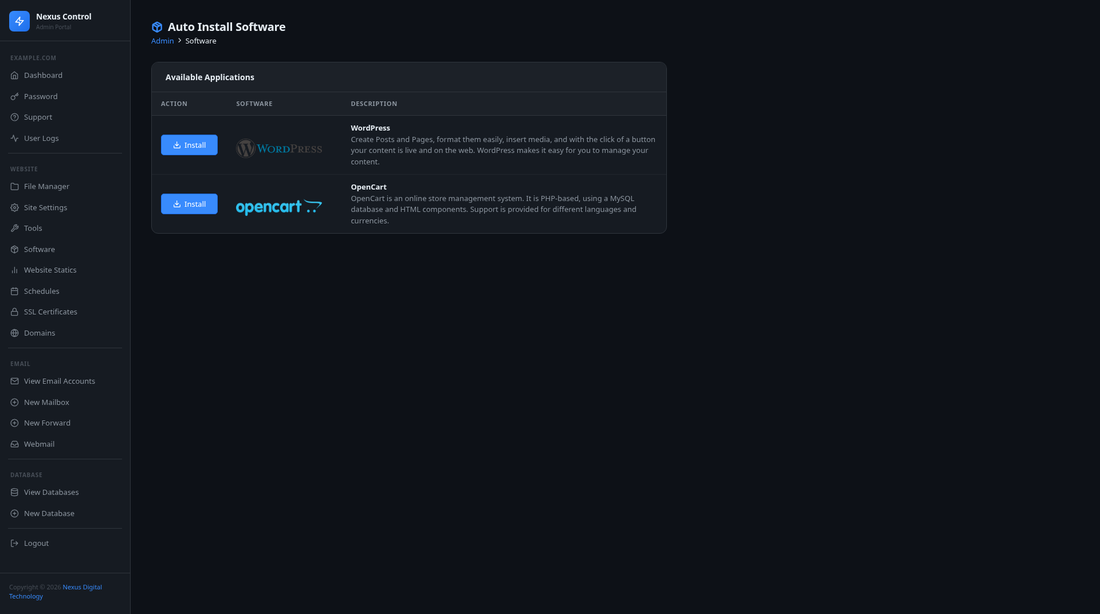
Available applications
| Software | Best for |
|---|---|
| WordPress | The world's most popular content management system (CMS). Create posts and pages, format them easily, insert media and publish with a click. Ideal for business websites, blogs and portfolios, and for online stores using the WooCommerce plugin. |
| OpenCart | A dedicated online store management system built with PHP, a MySQL database and HTML components. It supports multiple languages and currencies, making it a good fit for shops selling in Australia and overseas. |
How to install WordPress or OpenCart
- Click Software in the Website section of the sidebar.
- Click Install next to the application you want.
- Wait for the installation to finish. The installer sets up the files in
/wwwand creates a database for you, which will appear under Databases. - Visit your domain in a browser to finish the application's own setup, such as choosing your site name and admin account.
Before you install
- Back up any existing site. If
/wwwalready contains a website, use Zip Website Files and export your database first, because installing can overwrite existing files. - Check your limits. Each install needs a database. Your database limit and usage are shown on the Dashboard.
- Check DNS. Your domain should point to Nexus Digital so you can reach the new site. See Domains & DNS.
After you install
- Install a free SSL certificate from SSL Certificates so your site and admin login run over HTTPS.
- Use a unique admin username and a strong password. Never use
adminas the username. - Secure WordPress by following our guide to securing a WordPress website, and run a WordPress Security Scan regularly.
- Keep everything updated. Install updates for the core software, plugins, themes and extensions promptly.
- Remove what you don't use. Delete inactive plugins and themes to reduce your security risk.

