
Website Statistics (AWStats)
Website Statistics gives you free access to AWStats, a powerful server logfile analyser that shows who is visiting your website, when, and how they found you.
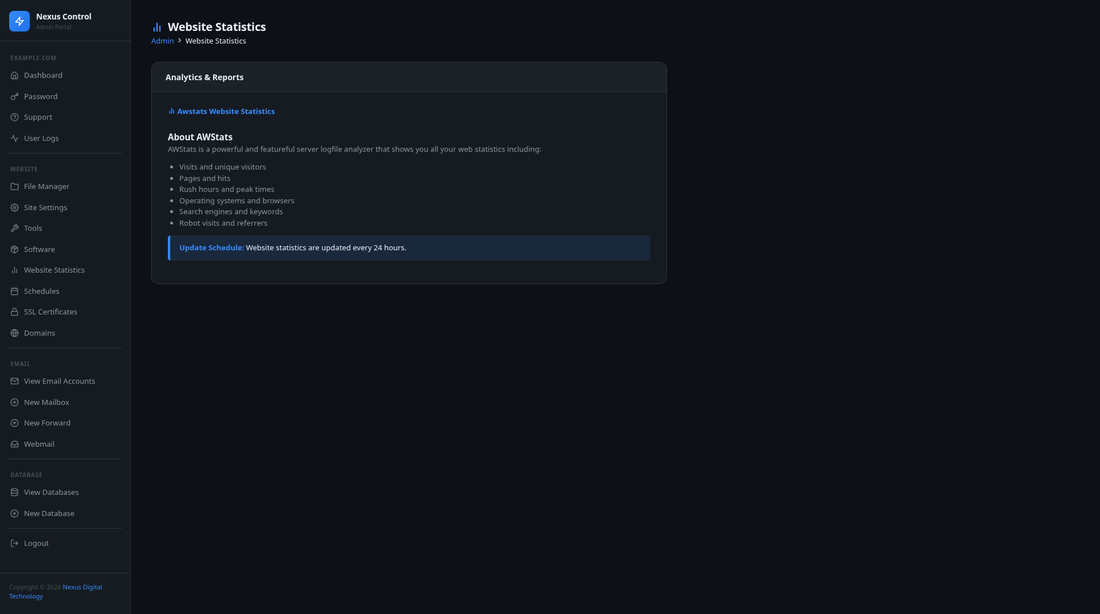
Opening AWStats
- Click Website Statistics in the Website section of the sidebar.
- In the Analytics & Reports card, click the AWStats Website Statistics link.
- AWStats opens with your statistics for the current month. Use the month and year selector at the top of the report to view earlier periods.
What AWStats reports
| Report | What it tells you |
|---|---|
| Visits and unique visitors | How many visits your site received and how many different people (unique IP addresses) made them. |
| Pages and hits | Pages are web pages viewed. Hits count every file requested, including images, CSS and scripts, so hits are always much higher than pages. |
| Rush hours and peak times | The hours and days your site is busiest. Handy for timing promotions, newsletters and maintenance. |
| Operating systems and browsers | Whether visitors use Windows, macOS, iOS or Android, and which browsers, so you know what to test your site on. |
| Search engines and keywords | Which search engines send you visitors and the search phrases they used, where available. |
| Robot visits and referrers | Search engine crawlers and bots visiting your site, plus the other websites that link to you and send traffic. |
How often statistics update
Website statistics are updated every 24 hours, so today's visits will normally appear in tomorrow's report.
Why server-side statistics are useful
- No cookies or tracking code. AWStats reads the web server's own log files, so there's nothing to add to your website and no cookie banner is needed for it.
- No impact on page speed. Because no JavaScript tracking runs in your visitors' browsers, your site stays fast.
- Counts everyone. Visitors who block tracking scripts are still counted, as are bots and crawlers (reported separately).
Using Google Analytics too? Numbers won't match exactly. Browser-based tools miss visitors who block scripts, while log-based tools count every request. Use both to get the full picture.

