
Password, Support & User Activity Logs
The Account section of the sidebar lets you change your control panel password, contact our support team directly from the panel and review a log of everything that has happened on your account.
On this page
Changing your control panel password
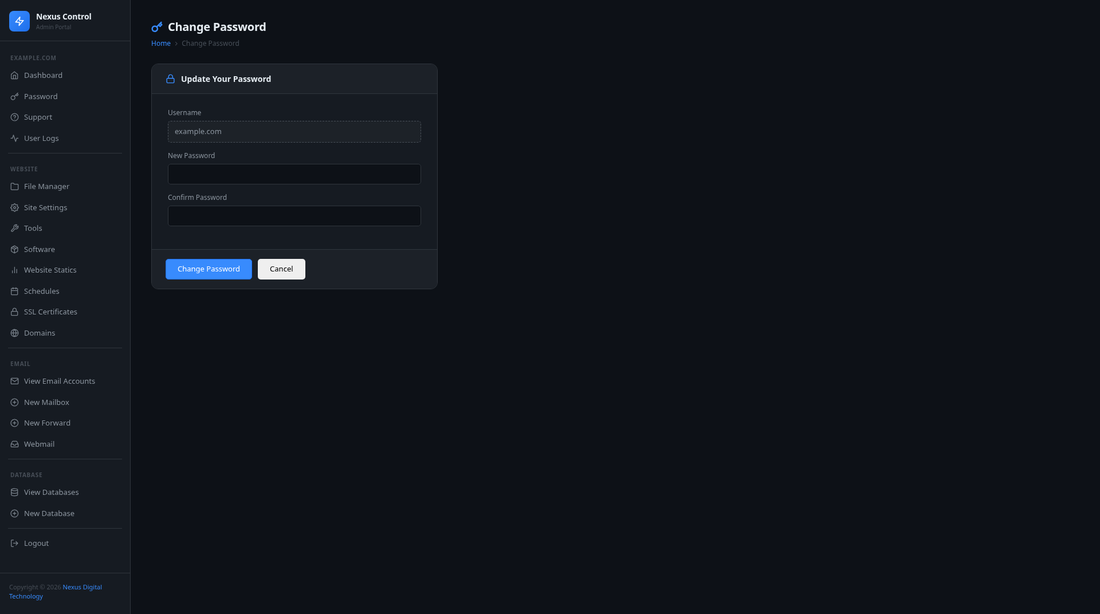
Click Password in the sidebar to open the Change Password screen.
- Your Username (your domain name) is shown for reference and can't be changed.
- Type your new password in New Password.
- Type it again in Confirm Password.
- Click Change Password. Click Cancel to leave without making changes.
- Use at least 12 characters with a mix of upper and lower case letters, numbers and symbols, or a passphrase of four or more random words.
- Never reuse your control panel password for email, WordPress or any other website.
- Store it in a password manager rather than in a document or email.
- Change it straight away if a staff member or developer who knew it leaves, or if you suspect someone else has used it. Check User Logs for logins you don't recognise.
This password only controls access to the Nexus Control Panel. Email mailbox and database passwords are managed separately on the Email and Databases pages.
Sending a support request from the control panel
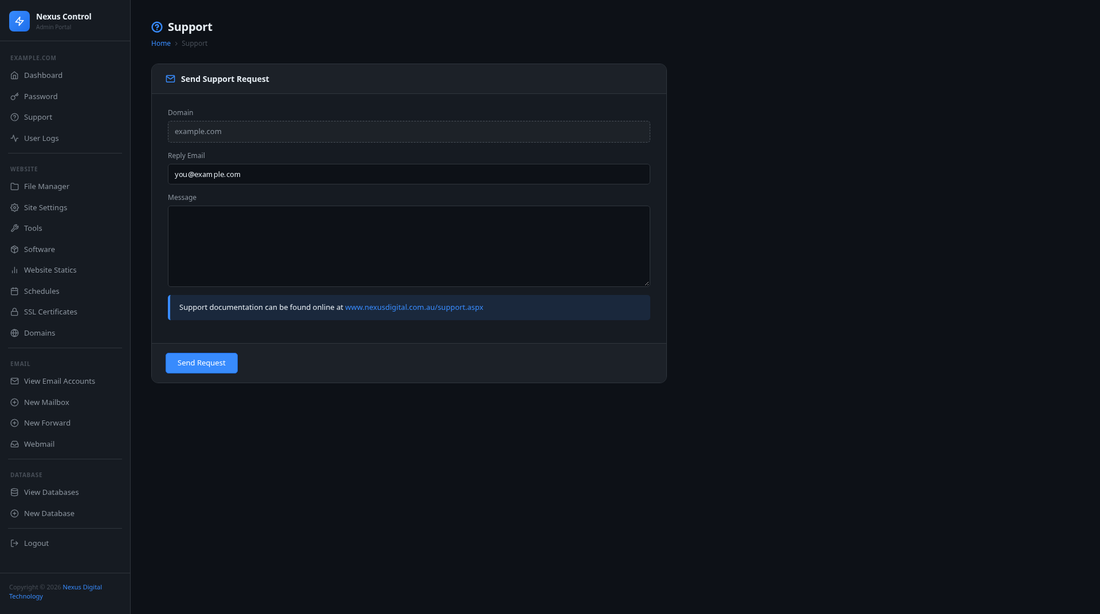
Click Support in the sidebar to send a message straight to the Nexus Digital support team (support.aspx in the panel).
- Domain is filled in automatically, so we know which hosting account you are asking about.
- Reply Email is pre-filled with your account's contact email. Change it if you want our reply to go to a different address.
- Describe the problem in Message. Include the web address, email address or file affected, what you expected to happen, any error message, and when it started.
- Click Send Request.
Reviewing user activity logs
Click User Logs in the sidebar (or Report on the Dashboard) to open the User Activity Log. It lists the last 200 actions on your account, newest first.
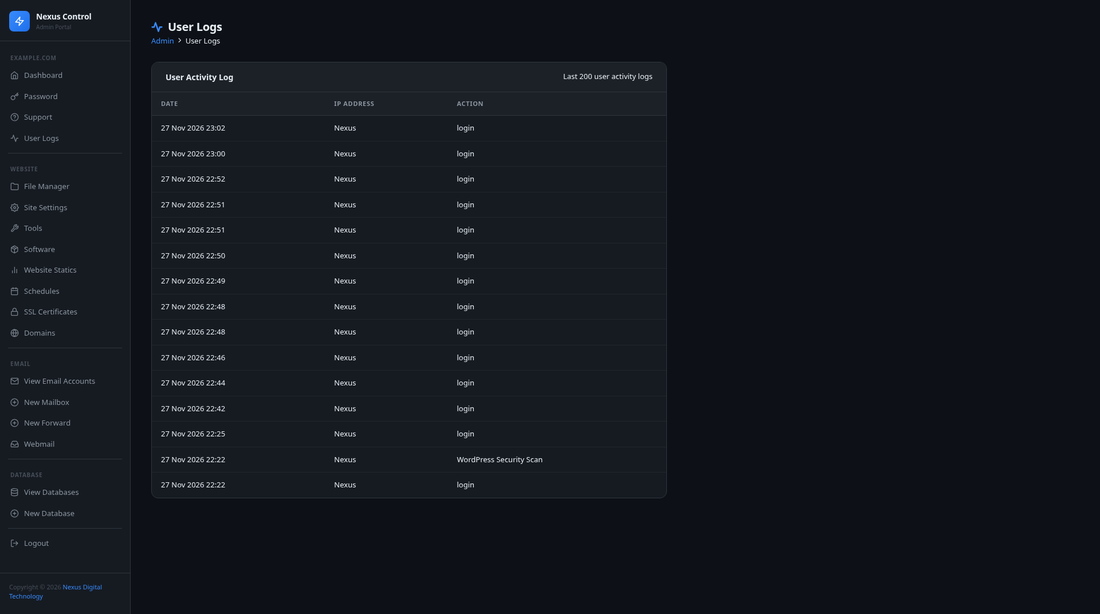
| Column | What it shows |
|---|---|
| Date | The date and time of the action. |
| IP Address | Where the action came from. Actions performed by Nexus Digital staff or systems are shown as Nexus. |
| Action | What was done, for example login or WordPress Security Scan. |
Use the log to audit your account: confirm when a developer logged in, check that a scan or backup was run, or spot sign-ins from IP addresses you don't recognise.

